
FindSEOTools.com
SEO Tools Directory
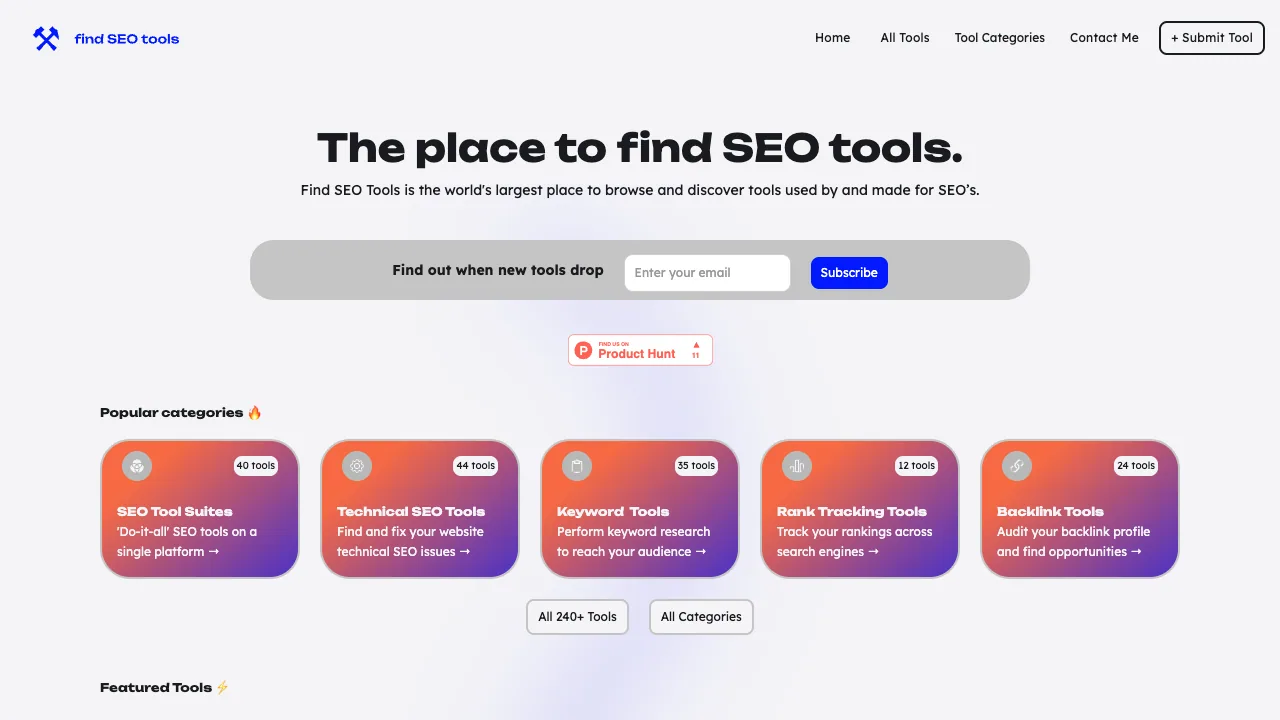
FindSEOTools.com is a curated place to browse SEO tools across suites, technical SEO, keywords, rankings, backlinks, and more.
Listing signals
Domain rating
11
Domain rating is Ahrefs' measure of domain quality according to links.
Popularity
Low
Page views, clicks to the site and upvotes in the last 30 days, ranked against every live listing.
Built withWebflow
Webflow makes it easy to build tools.
What is FindSEOTools.com?
FindSEOTools.com is a curated directory that helps SEO professionals and digital marketers browse and discover SEO tools used for specific workflows.
What you can browse
FindSEOTools.com organizes SEO tools by common workstreams and specialties, making it easier to compare options when you’re auditing, researching, or monitoring performance. The directory covers categories such as SEO tool suites (“do-it-all” platforms), technical SEO tools (find and fix technical issues), keyword tools (perform keyword research), rank tracking tools (track rankings across search engines), and backlink tools (audit backlink profiles and uncover opportunities).
The directory includes 240+ tools and highlights both free options and paid tools, so you can choose based on whether you need a permanently free alternative or a subscription-based platform.
Popular examples and what they’re for
You’ll see featured tools with short, concrete descriptions. For example:
- Authoritas (Paid) — described as a “Unique SEO platform for eCommerce sites,” including keyword and ranking tools, competitor & market analysis, and identification of technical SEO issues.
- SEMrush (Paid) — positioned as helping you “Unveil your competitors’ marketing strategies,” with bulk competitor keywords, keyword ranking tracking, and content ideas & templates.
There are also examples of free tool types across the directory, including:
- PeopleAlso (free keyword insights)
- JetOctopus (technical SEO)
- ContentKing (real-time SEO auditing and monitoring)
- Check My Links Chrome extension (broken link checks)
- Detect GPT Chrome extension (detect whether content is AI-generated)
- Snippet Optimizer (optimize SERP snippets for higher click-through rates)
- Wordtracker Scout (keyword discovery)
- SEMrush Academy (training courses & exams)
How the directory helps your day-to-day
Use FindSEOTools.com when you need a tool for a specific SEO task—like keyword insights, SERP snippet optimization, broken link checks, real-time SEO auditing, or competitor research. Tools are also presented alongside category tags (including WordPress plugins, spreadsheets extensions, and browser extensions) and additional focus areas such as newsletters and SEO by channel (e.g., YouTube, Pinterest, Amazon, Etsy, eBay).
- Browse by category: Tool Suites, Technical SEO, Keyword Tools, Rank Tracking, Backlinks
- Compare free and paid options
- Find tools for concrete tasks like auditing, monitoring, and snippet optimization
Tool submission and updates
The site includes a submission workflow for new SEO tools and for requesting updates to tools that are already published. Submissions are reviewed to determine whether a tool fits into the right categories.
FindSEOTools.com FAQ
What kinds of SEO tools can I find on FindSEOTools.com?
FindSEOTools.com covers SEO tool suites (do-it-all platforms), technical SEO tools, keyword research tools, rank tracking tools, and backlink tools. It also includes related categories such as monitoring & reporting, local SEO, training courses, and newsletters (including channel-focused topics like YouTube SEO, Pinterest SEO, Amazon SEO, Etsy SEO, and eBay SEO).
Does FindSEOTools.com include both free and paid tools?
Yes. FindSEOTools.com includes free options and paid tools. Free options are described as permanently free where applicable, rather than being only a free trial.
How do I discover tools that match a specific SEO task?
Start by choosing the closest category to your workflow, such as Technical SEO, Keyword Tools, Rank Tracking, or Backlink Tools. Then compare the listed options inside that category to narrow down what fits your use case.
Are there tools for eCommerce and competitor research?
Yes. FindSEOTools.com includes examples like Authoritas for eCommerce SEO and SEMrush for competitor and marketing strategy research, with features like keyword research, ranking tracking, and technical SEO issue identification.
Is FindSEOTools.com free to use?
Yes. Browsing the directory is free, and it includes both free and paid tool listings for comparison.
How do I submit my own SEO tool to FindSEOTools.com?
Use the Submit Tool page. Choose whether you’re submitting a new tool or requesting an update for a tool already published, then provide the tool name, describe the tool value in 9 words or less, select the main category, and specify the pricing model (including whether there are free options). You’ll also add details like a tool description, a Twitter/X account, launch year, an image URL (1280×800 or 8:5), and your name/email and founder/creator info. If you have trouble submitting the form, you can email submit@findseotools.com.
How long does it take for a submitted tool to be reviewed?
The submission includes a review step to determine which categories the tool fits into, but the exact review timeline isn’t provided in the submission instructions.
What are some alternatives to FindSEOTools.com?
Similar listings to compare with FindSEOTools.com:
- nocodefinder.com: No-code tool directory for discovery and comparison when you need alternatives.
- SomethingForThat.com: Software discovery directory that helps you find tools for a specific need.
- DailyZaps.com: Curated directory of AI tools across categories like writing, design, and automation.
- MacMenuBar.com: Curated app directory focused on finding and browsing tools by categories.