
habitdoom.com
App Blocker for Habits
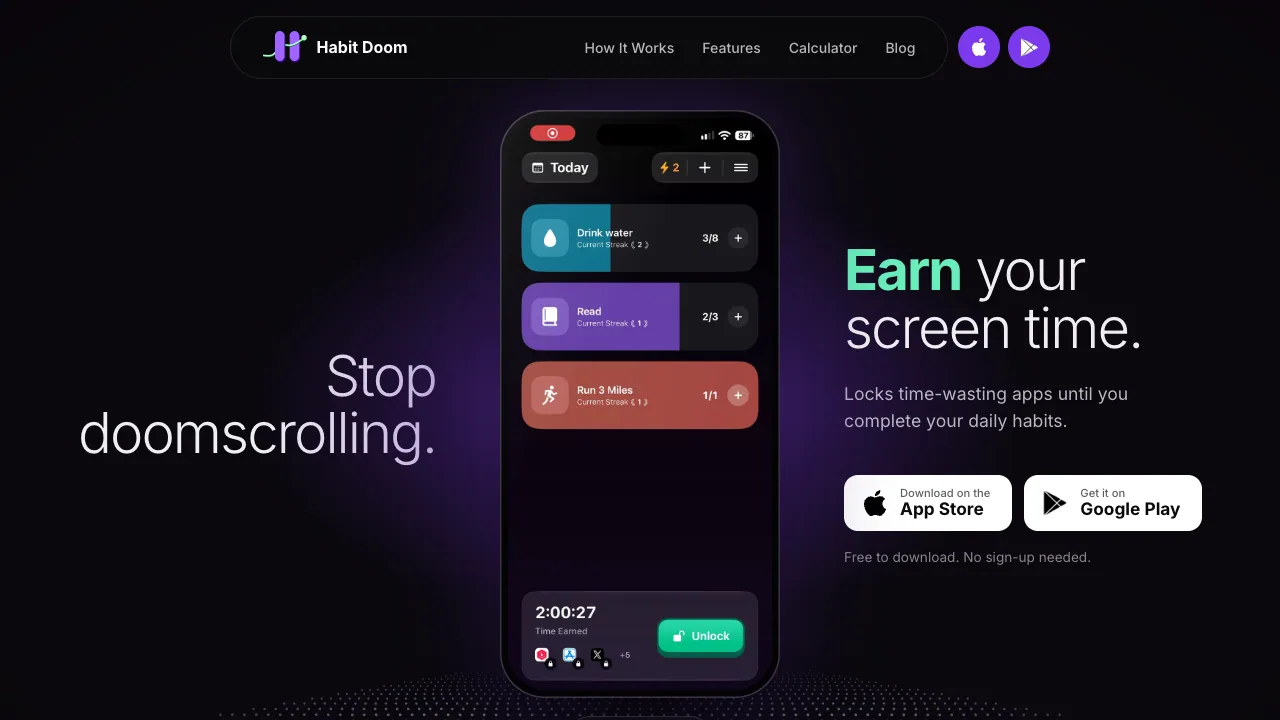
Habit Doom is a free iOS habit app that auto-locks distracting apps until you complete daily habits and earn back screen time.
Listing signals
Domain rating
15
Domain rating is Ahrefs' measure of domain quality according to links.
Popularity
Low
Page views, clicks to the site and upvotes in the last 30 days, ranked against every live listing.
What is habitdoom.com?
Habit Doom is a habit-based app blocker for iPhone and iPad that locks chosen apps every day until you complete daily habits.
How Habit Doom works
Habit Doom turns your phone into an accountability partner: you pick the apps you tend to open without thinking (such as social media or video apps), and those apps lock automatically every midnight. You then complete daily habits—like workout, reading, or meditation—to earn unlock time. Once you’ve earned it, you can unlock the chosen apps anytime during the day.
If you miss a day, streaks reset. You can still take breaks using Vacation Mode, which pauses blocking without losing your streak.
Key features for focus and habit building
- Auto-lock schedule: chosen apps lock every day at 11:59 PM.
- Habit check-ins with earned unlocks: finish habits to earn screen time access.
- Custom alarms per habit: use real system alarms for each habit so you can check in.
- Streaks and milestones: track streaks (including 7, 30, and 100+ days on Pro) and earn progress markers.
- Home screen widgets: keep habit status and streaks visible on the home screen.
Anti-Cheat verification
Habit Doom includes Anti-Cheat with on-device AI photo verification. Habit checks use photo proof, and photos are designed to stay on your phone (not leaving your device).
Advanced options and controls
You can enable Hard Mode for an all-or-nothing unlock flow until midnight. For iPhone users, Habit Doom also supports always-on adult-content blocking using Apple’s adult-content filter across Safari and in-app browsers, with a math challenge before switching it off.
Pricing and plans
Habit Doom is free to download and includes core features without sign-up. A Pro upgrade adds premium capabilities such as unlimited habits, advanced habit analytics & heatmaps, and access to additional toolkit features.
Platform and getting started
Habit Doom is available on iOS (iPhone and iPad). Install from the App Store, select your habit(s), choose the apps you want to restrict, and start earning unlock time by completing check-ins.
habitdoom.com FAQ
How does Habit Doom lock distracting apps?
With Habit Doom, you select the apps you want to restrict. Those chosen apps auto-lock every day at 11:59 PM and stay locked until you complete your daily habits and earn the unlock time.
How do you earn screen time with Habit Doom?
Habit Doom rewards you for completing your daily habits. After you check in and finish each habit, Habit Doom unlocks the selected apps for the screen time you earned so you can use them during the earned window.
Can Habit Doom verify that I really completed my habit?
Habit Doom’s Anti-Cheat uses on-device AI photo verification for habit check-ins. Habit Doom is designed so the photo proof does not leave your phone, helping prevent fake check-ins.
What happens if I miss a day?
If you miss a day, Habit Doom resets your streak. You can start again anytime, and Vacation Mode lets you pause app blocking for planned breaks without losing your streak.
Is Habit Doom free to download?
Yes. Habit Doom is free to download with no sign-up needed, and core features like habit tracking, app blocking, custom alarms, streaks, and Anti-Cheat photo verification are available. Pro is optional for premium capabilities.
Is Habit Doom available on Android?
Habit Doom is currently iOS-only for iPhone and iPad, not available on Android.
What are some alternatives to habitdoom.com?
Similar listings to compare with habitdoom.com:
- scrollbump.com: iOS app that interrupts doomscrolling with scheduled, app-based pauses.
- kabitapp.com: Distraction-free iOS habit tracker with streaks, reminders, and widgets.
- MacMenuBar.com: Large curated catalog for customizing productivity apps and collections on macOS.
- FindSEOTools.com: Curated directory of tools for focus on SEO work rather than phone use.