
Image Text Editor
Image Text Editor
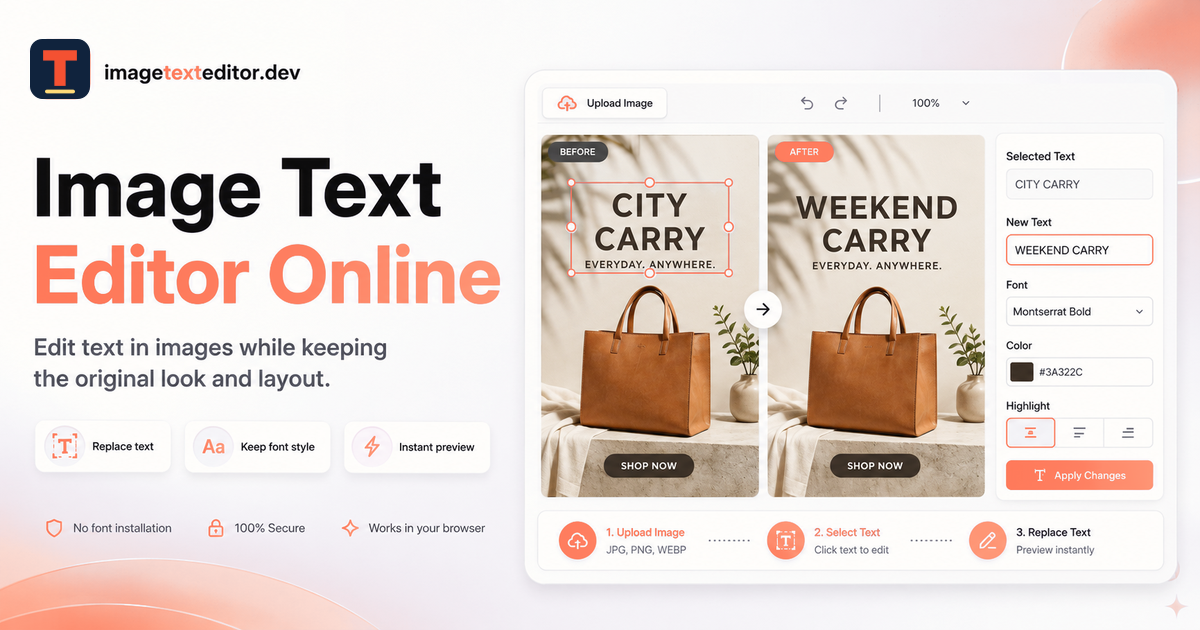
Change words embedded in finished JPG, PNG, or WebP images online by selecting the text area, generating a replacement, and reviewing before download.
Listing signals
Popularity
Low
Page views, clicks to the site and upvotes in the last 30 days, ranked against every live listing.
About tool
Image Text Editor is an online tool for changing words already embedded in a finished JPG, PNG, or WebP image—without needing the original design file. Upload your image, detect the visible text, select the exact text block you want to replace, and enter your new wording.
After generation, you can compare the edited version with the original before downloading the result. The replacement is generated using the existing lettering and surrounding design as visual reference, helping the new text feel consistent with the image you already approved.
Edits download as a flattened PNG (one finished image), so there’s no layers workflow to manage. It’s well-suited for focused copy updates like poster headlines/dates, social captions/offers, screenshot label updates, and product callout text where only specific wording needs to change.
What can I edit with Image Text Editor?
You can replace words already embedded in a finished JPG, PNG, or WebP image by detecting the visible text, selecting the text block, and entering replacement wording.
Do I need the original design file to make edits?
No. The workflow is built for finished images when you don’t have the original design file—upload, select the text, replace, then download.
Which image formats are supported?
Uploads support JPG, PNG, and WebP. Downloaded results are provided as a flattened PNG.
Will the new text match the original image style?
The editor uses the existing lettering and surrounding design as a reference to keep the replacement visually consistent. You should still review spelling and nearby details after generation.
What should I check before downloading and publishing?
Zoom in and verify the old text is fully removed, confirm the replacement wording, and inspect color, lighting, perspective, alignment, and spacing around the edited area and nearby elements.
Is sign-in required to try the tool?
A sample demo is available without sign-in. Eligible new accounts can receive 1 free credit after sign-in for one Standard 1K result; abuse safeguards apply.