
PictTool
PictTool
PictTool is a browser-based set of AI photo tools that transforms images into styles like 3D cartoon, sketch, and colorized photos.
Listing signals
Popularity
High
Page views, clicks to the site and upvotes in the last 30 days, ranked against every live listing.
What is PictTool?
PictTool is a browser-based AI image toolset that helps you create and edit photos into multiple art styles.
Style-first photo transformations
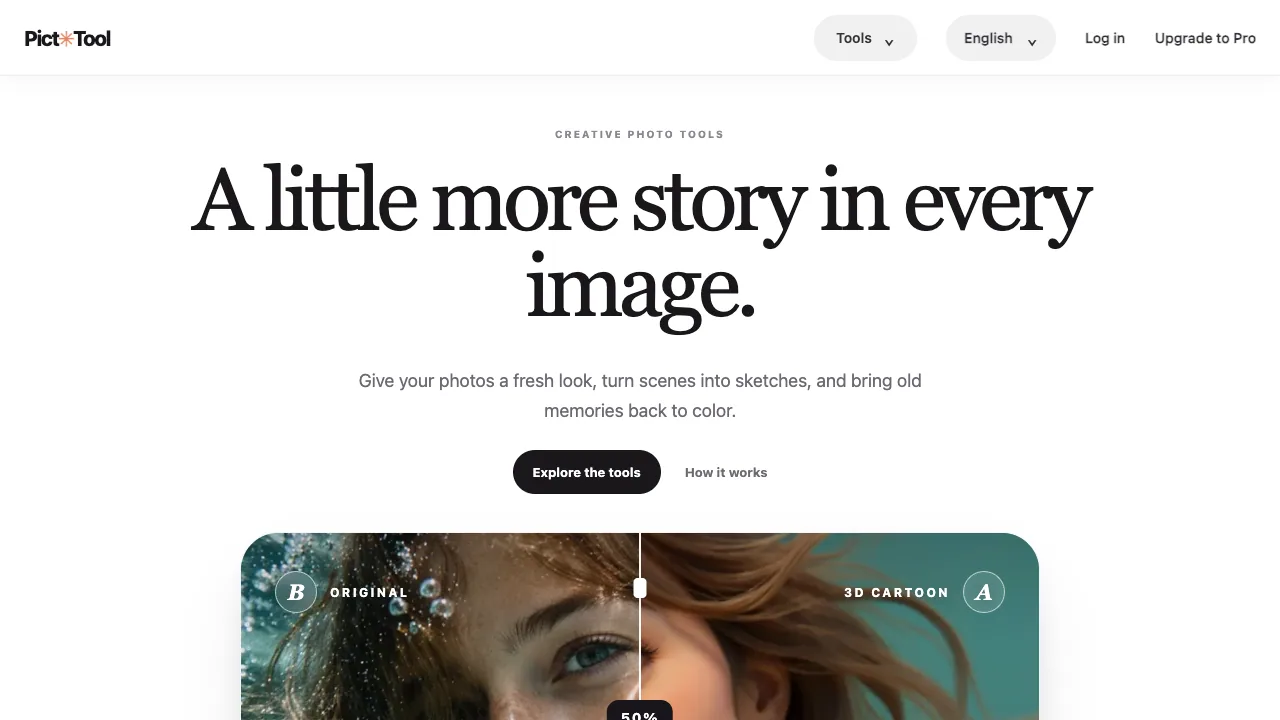
PictTool focuses on quick, style-driven edits. Start with a photo from your device, pick a look, and compare the transformed result against the original. The interface includes “AFTER ← BEFORE” views where hovering reveals the original from right to left, making it easy to judge changes.
The main transformation styles include:
- 3D Cartoon (soft shapes, rich color, “animated finish”)
- Comic Style (expressive outlines, brighter color, hand-drawn story feel)
- Anime Style (expressive linework and a bright illustrated finish)
- Watercolor (gentle washes, paper texture, softened colors)
- Sketch (expressive hand-drawn linework)
- Photo Colorizer (restore natural-looking color to black-and-white photos)
From photo to finished in a few steps
PictTool keeps the workflow simple:
- Choose a photo from your device
- Pick a style that matches the effect you want
- See the result and compare transformation vs. original
AI transparency and image safety checks
PictTool includes an “AI Transparency & Image Safety” section describing how images and prompts are handled before generation and delivery.
For prompt screening, PictTool uses Waffo Prompt Sift to screen user-written text prompts. Prompts that Waffo allows proceed; prompts needing review or blocked are held.
For image screening, PictTool uses Amazon Rekognition to check uploaded images before AI processing and checks generated images before delivery. Upload screening uses a resized JPEG copy; the original is sent to the selected image tool.
If results are likely unsafe, they are blocked; uncertain results are held for review. Automated checks can make mistakes and are not a legal determination or specialized CSAM detection.
What models power different tools
PictTool lists the underlying model options it uses:
- FLUX.1 Kontext Pro powers comic, cartoon, anime, watercolor, sketch, portrait, travel-art, and product-poster edits.
- FLUX.2 Dev powers game-avatar, background-change, and scene-lighting tools.
- SDXL 1.0 powers text-to-image generation.
Specialized tools include DDColor (colorizing), lucataco/remove-bg (background removal), GFPGAN (upscaling/restoring faces), and Reve Edit Fast (removing described objects). The selected feature determines which model receives the image.
Credits and pricing
PictTool offers 80 AI image edits as a one-time purchase. Credits do not expire, and failed generations do not use credits.
- US$9.90 one-time for Buy 80 edits
How to get started
Open PictTool in your browser, select a style (such as 3D Cartoon, Comic Style, or Photo Colorizer), upload a photo, and follow the transformation flow while using the hover comparison to evaluate results.
PictTool FAQ
What can you create with PictTool?
PictTool lets you transform photos into multiple styles such as 3D Cartoon, Comic Style, Anime Style, Watercolor, Sketch, and colorize black-and-white photos with its Photo Colorizer.
How does PictTool help you compare edits to the original?
PictTool shows an “AFTER ← BEFORE” comparison and lets you hover to reveal the original from right to left for a clear before/after check.
How does PictTool handle uploaded images and prompts?
PictTool uses Waffo Prompt Sift to screen user-written prompts before image generation, and Amazon Rekognition to screen uploaded images before processing and generated images before delivery. Likely unsafe results are blocked, while uncertain results are held for review.
What AI models does PictTool use for different tools?
PictTool lists FLUX.1 Kontext Pro (for styles like comic/cartoon/anime/watercolor/sketch), FLUX.2 Dev (for game-avatar, background change, scene lighting), and SDXL 1.0 (for text-to-image). Specialized features include DDColor, remove-bg, GFPGAN, and Reve Edit Fast.
Is PictTool free?
PictTool uses credits via a one-time purchase: 80 AI image edits for US$9.90. Credits do not expire, and failed generations do not use credits.
What are some alternatives to PictTool?
Similar listings to compare with PictTool:
- image2.app: Text-to-image and photo edits focused on product and branded visuals.
- AI Image Edit: AI photo editor that describes changes in plain English.
- PixText: AI tool specifically for editing text inside images.
- OmniGIF: Browser-based GIF toolkit for frame extraction and effects.