
xjoy.ai
AI Girlfriend Tools
xjoy.ai is a photo-to-image and photo-editing suite to generate new images, change outfits, and create paired scenes from photos.
Listing signals
Domain rating
19
Domain rating is Ahrefs' measure of domain quality according to links.
Popularity
High
Page views, clicks to the site and upvotes in the last 30 days, ranked against every live listing.
Built withSoftr
Softr makes it easy to build tools.
What is xjoy.ai?
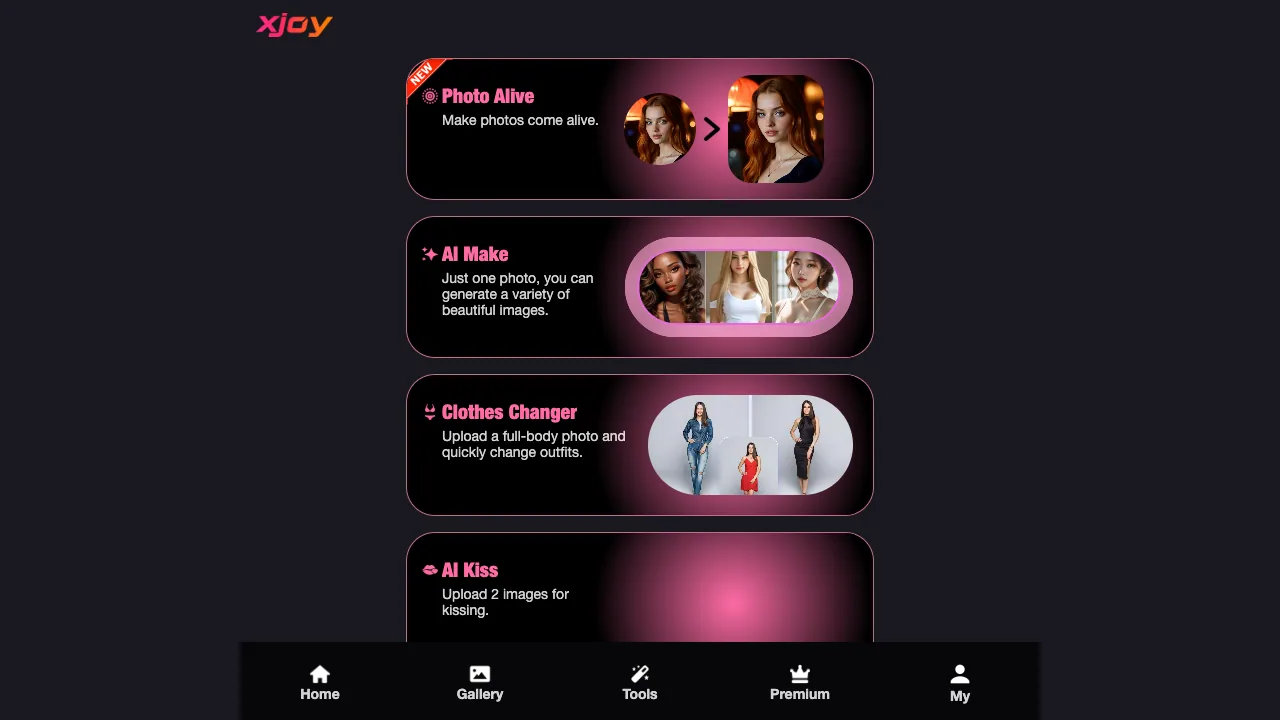
xjoy.ai is a photo-to-image and photo-editing suite that makes photos come alive with AI image and video tools.
What you can do with xjoy.ai
Start with a single photo to generate multiple variations, or upload photos to edit, animate, and transform your content. xjoy.ai includes tools aimed at image generation, outfit changes, and paired scene creation, alongside additional editing and video effects.
Key tools include:
- AI Make: Use one photo to generate a variety of beautiful images.
- Clothes Changer: Upload a full-body photo to quickly change outfits.
- AI Kiss: Upload 2 images to create a kissing moment.
Other available AI photo and video tools
Beyond the core tools above, xjoy.ai also provides many editing and transformation options you can use from the Tools section, such as:
- AI Photo Edit with prompts
- AI Strip Video to create a smooth strip video from your photo
- AI Video Eraser to upload a video and erase clothes at once
- Photo Dance and Photo Dance-style photo animation
- AI Eraser to erase what you want to remove
- AI Face to upload a photo with your face and become “whoever you want to be”
- AI Pose and AI Video Pose to try different poses
- AI Doll to turn a photo into a doll
- AI Short for short videos from one photo
- AI Shoots to turn one photo into a photographer-style result
- AI Couple and related two-photo scene creation tools
Where results appear
Generated outputs are available in the Gallery, where you can browse results.
Access and sign-in
Some access may require joining or signing in to continue.
xjoy.ai FAQ
What can I create with xjoy.ai?
With xjoy.ai, you can generate multiple AI images from one photo (AI Make), change outfits from a full-body photo (Clothes Changer), and create kissing scenes from two images (AI Kiss). You can also use other tools like AI photo edit (prompt-based), photo/video animation, erasing tools, and transformation effects.
How does AI Make work?
AI Make uses one photo to generate a variety of beautiful images.
What kind of photo works best for Clothes Changer?
Clothes Changer works with a full-body photo, which lets the tool quickly change outfits.
How do I use AI Kiss?
AI Kiss creates a kissing moment from two uploaded images—typically the two people or perspectives you want in the scene.
Where can I view the results from xjoy.ai?
xjoy.ai shows generated outputs in the Gallery.
Do I need an account to use xjoy.ai?
Some access to xjoy.ai may require joining or signing in to continue.
What other tools are available in xjoy.ai?
The Tools section includes prompt-based AI Photo Edit, erasing tools (AI Eraser, AI Video Eraser), animation tools like Photo Dance, transformation tools like AI Face and AI Doll, pose tools (AI Pose, AI Video Pose), and video/image tools like AI Strip Video, AI Short, and AI Shoots.
What are some alternatives to xjoy.ai?
Similar listings to compare with xjoy.ai:
- Adobe Firefly AI Anime Generator: Anime-style generation and edits from Adobe Firefly with text and reference images.
- Z Image AI: Generate and edit images from text or photos with credits and fast downloads.
- Video4: Create cinematic AI videos and images from text and photos in one workspace.
- Capsule Wardrobe AI: Try-on and outfit preview workflow focused on photorealistic fashion changes.